> ## Documentation Index
> Fetch the complete documentation index at: https://docs.sherloqdata.io/llms.txt
> Use this file to discover all available pages before exploring further.
# JetBrains IDEs
> JetBrains Plugin
\* Supports SQL History Logs Capability. Read more [here](https://docs.sherloqdata.io/queryhistory#queries-history-logs).
## **Install our JetBrains Plugin for all JetBrains IDEs** [**here**](https://docs.sherloqdata.io/datagripplugin)
## Don't find your IDE here?
We're actively working on adding more integrations, prioritizing them based on our users' requests.
[**Let us know here what you're using**](https://www.sherloqdata.io/other-editor), and in the meantime, feel free to use our Chrome extension and set it as your default page.
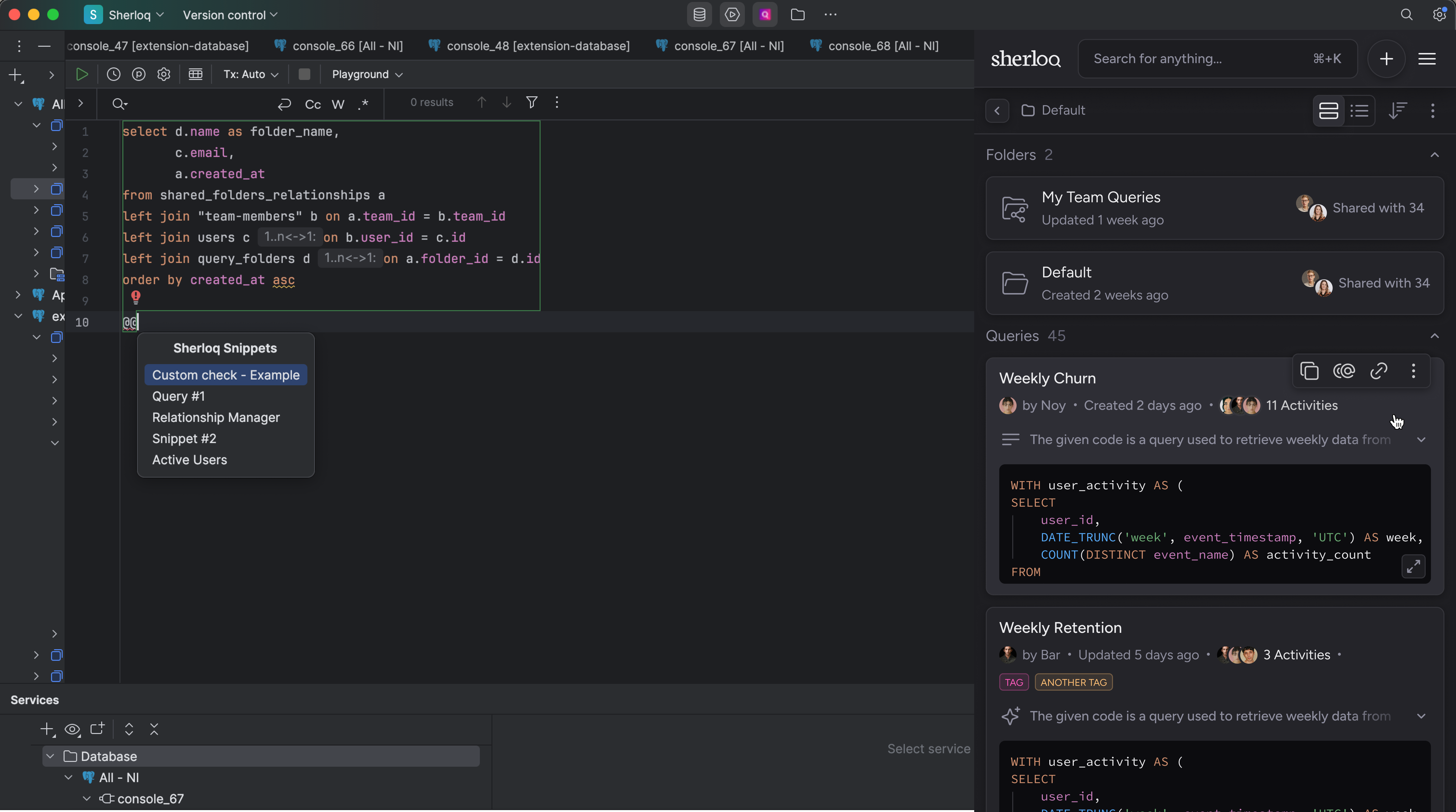
### Directly from your IDE, you can:
1. Save queries / console
2. Share queries in one click
3. Inject snippets code using keyboard shorcut
And.. much more! Look out for the [Product Features](/features) to explore more Sherloq capabilities.