> ## Documentation Index
> Fetch the complete documentation index at: https://docs.sherloqdata.io/llms.txt
> Use this file to discover all available pages before exploring further.
# Display views
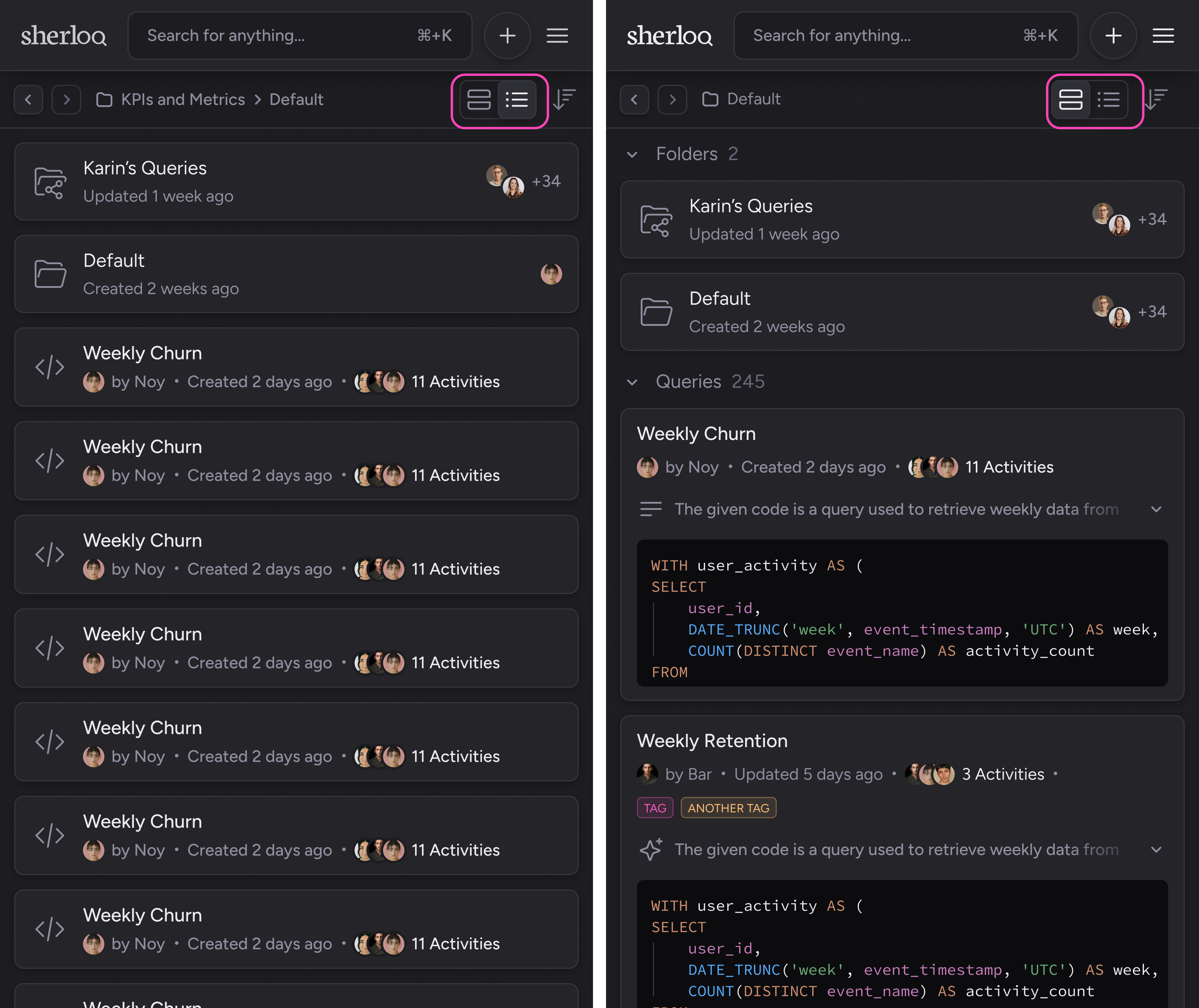
We know everyone has their own preference for viewing queries, so we’ve created two different display options.
Just choose the one you prefer! 😊
 ## Thumbnails view
In the thumbnails view, you can see a query preview with the following details:
* Query name
* Creator of the query
* Date the query was created or last updated
* Activities – who interacted with the query and how many interactions were made. For more information, read about it here.
* Tags (if any)
* A short overview of the query description, expandable with the toggle icon
* Code preview of the query
## Thumbnails view
In the thumbnails view, you can see a query preview with the following details:
* Query name
* Creator of the query
* Date the query was created or last updated
* Activities – who interacted with the query and how many interactions were made. For more information, read about it here.
* Tags (if any)
* A short overview of the query description, expandable with the toggle icon
* Code preview of the query
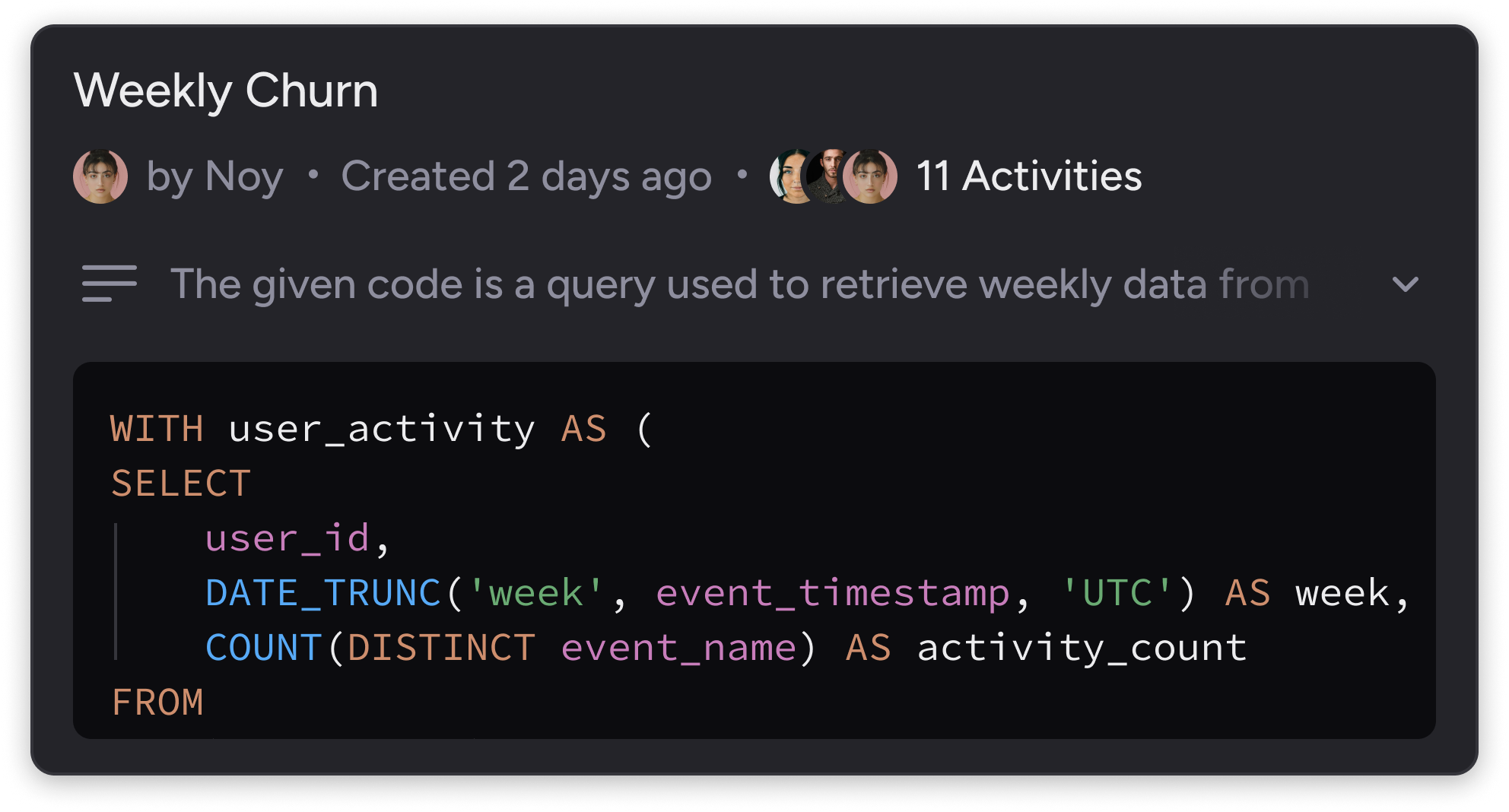 You can read and scroll through the code in the query preview. In order to edit the query, enter the query profile or click on the menu → "Edit Query."
## Collapsed view
In the collapsed view, you can see the following details:
* Query name
* Creator of the query
* Date the query was created or last updated
* Activities – who interacted with the query and how many interactions were made. For more information, read about it here.
You can read and scroll through the code in the query preview. In order to edit the query, enter the query profile or click on the menu → "Edit Query."
## Collapsed view
In the collapsed view, you can see the following details:
* Query name
* Creator of the query
* Date the query was created or last updated
* Activities – who interacted with the query and how many interactions were made. For more information, read about it here.
